There’s no better way to get a head start on organizing your life than using the latest technology from Dell & Microsoft! Although the arrival of spring is daunting to most, Dell’s new Windows 8.1-based Venue 8 Pro, XPS 11 and XPS 18 all offer unique tech gadgets to help simplify and reinvigorate the often grueling process of de-cluttering before summer.
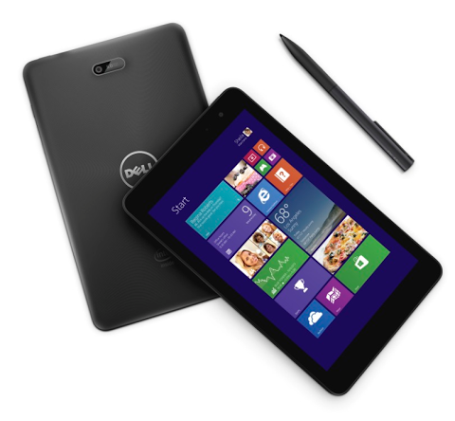
Your ultimate productivity companion.
Key Features:
- 8” tablet powered by a quad-core Intel Atom processor
- Crystal-clear HD 800p touchscreen; front and rear-facing cameras
- Running full Windows 8.1, including Microsoft Office and Windows legacy apps
- Dock with a super-thin wireless keyboard (optional)
- Optimized for production with Dell Active Stylus (optional)
- Streams video, photos or presentations to your TV through Miracast technology
The Dell Venue 8 Pro begins at $299.99
Check out these great Apps you can use on Microsoft windows to get you organized!
Mint: (available on Windows and Windows Phone) Offers a simple and organized way to get your finances in order and keep you on track. Set budgets, track accounts, set helpful financial reminders, track when bills are due, and do more with your money. Just link your accounts and mu lti-touch graphs quickly show where your money is going.
HealthVault (available on Windows and Windows Phone): Take control of your health and keep your most important health information at your fingertips with HealthVault for Windows. Track progress toward health goals, manage weight by tracking exercise and diet, monitor health information, and even discover trends in your health and fitness!
Tasks by Telerik (available on Windows and Windows Phone): Put an end to the chaos in your personal affairs with the Tasks app. It will become your best friend for planning, organizing and monitoring the progress of all your projects.
OneNote (available on Windows and Windows Phone): The key to keeping your life organized! Take notes that save to the cloud so you have them when you need them and easily sync to your Windows Phone for quick access anywhere.
AboutOne (available on Windows and Windows Phone): This popular organizing app gives you fast and easy access to the information you need to take care of your family, budget and home. Easily link to appropriate contacts when you’re organizing household paperwork or managing memories, and synchronize between your Windows device and smartphone.
ReadingList (available on Windows and Windows Phone): With IE11 and Windows 8.1, reading across devices is simple as the app and site work together side by side. The Reading List app in Windows 8.1 remembers where you left off and allows you up to pick right back up at that spot, from any of your Windows 8.1 devices. When you’re finished reading, simply swipe the article away to move on.
NovaMind Mind Mapping (available on Windows): Visualize your information by putting your ideas in an attractive and interactive visual format. Create to-do lists, brainstorm new ideas, plan your work, problem solve, see the big picture, and drill down important details.
SkyDrive (recently re-branded as OneDrive; available on Windows and Windows Phone): Store any file on SkyDrive and it’s automatically available to access or share from any device. With SkyDrive, your files in the cloud are just a touch away. You can easily view, upload and share your files on SkyDrive, and even access your SkyDrive files across Windows apps.
